FAQ
What is Beneflo?
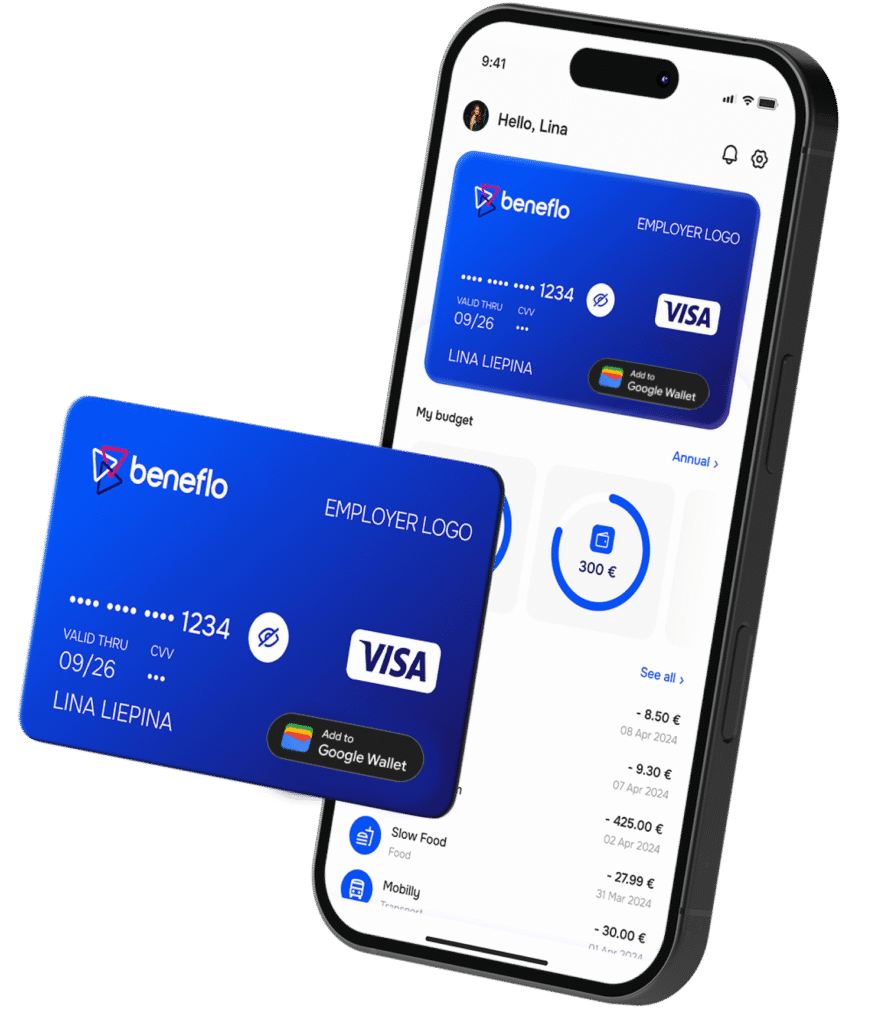
Beneflo is a comprehensive employee benefits management platform that enables companies to provide flexible benefits to their employees through VISA business debit cards. It simplifies benefits administration, provides real-time tracking, and gives employees convenient access to their benefits through physical and virtual cards.
How does Beneflo work?
Companies set up benefit programs with specific benefit budgets and rules. Employees receive VISA business debit cards loaded with their benefit allowances. They can spend these benefits at approved merchants using their cards or mobile app. Administrators track spending in real-time and generate reports for compliance and budget management.
What types of benefits can be managed through Beneflo?
Beneflo supports various benefit types including meal allowances, transportation benefits, wellness and fitness programs, education and training budgets, childcare support, and other tax-advantaged or company-specific benefits. Each benefit program can have its own rules and spending restrictions.
Who can use Beneflo?
Beneflo is designed for companies of all sizes operating worldwide. HR administrators and benefits managers use the platform to set up and manage programs, while employees use VISA cards and mobile apps to access and spend their benefits regardless of their location.
What makes Beneflo different?
Beneflo combines flexible benefits management with secure payment technology. Using VISA business debit cards provided by Wallester (an EU-based financial institution), employees get instant access to benefits with real-time balance updates. The platform offers comprehensive reporting, compliance tools, and automated administration that saves HR teams time.
What countries does Beneflo support?
Beneflo can be used by companies worldwide. While our platform is EU-based (ensuring GDPR compliance and high data protection standards), we serve organizations and their employees globally. VISA cards work at millions of merchants worldwide, and the platform supports multiple currencies and international operations through flexible eligibility group configurations.
How employee can access their benefits?
Using mobile application or employee portal employee can order a VISA business debit card (physical or virtual) loaded with their benefit budget. Employee can check balance and transactions through the Beneflo mobile application or employee portal at any time.
Where employee can spend their benefit budgets?
Employees can spend their benefits at any merchant worldwide that accepts VISA cards and falls within company’s approved categories. Common categories include restaurants, grocery stores, public transportation, fitness centers, educational institutions, and more. Beneflo mobile app shows which merchant categories are enabled for your benefits, and VISA is accepted at millions of locations globally.
How do employee knows how much budget he has left?
Employee may check current balance anytime through the mobile application or employee portal. Employee balances updated in real-time after each transaction. Employee will also receive notifications when when transactions are processed.
Can employee use benefit card for online purchases?
Yes, both physical and virtual VISA cards work for online purchases at eligible merchants. Virtual cards are especially convenient for online shopping and can be added to digital wallets like Apple Pay or Google Pay for contactless payments.
What happens if employee card is declined?
Cards may be declined if: (1) Employee has insufficient balance, (2) The merchant is not in an approved category, (3) The transaction exceeds daily/monthly limits, or (4) The card has been freezed or blocked. Employee can check mobile app for your balance and approved merchant categories. In case employee made a legitimate transaction and it was declined incorrectly please contact Beneflo.
What employee should do if card is lost or stolen?
Employee should immediately block lost or stolen card through the mobile application or employee portal to prevent unauthorized use. Employee may request card replacement after card is blocked from the same application.
Can employee transfer benefit budgets to bank account or cash out in ATM?
No, benefit budgets are provided as employer-sponsored allowances through designated cards and must be spent at approved merchants. This ensures compliance with tax regulations and benefit program rules. Benefits cannot be converted to cash or transferred to personal accounts.
Where are employer funds stored?
Who provides the payment services?
How secure are the payment transactions?
All payment transactions are protected by the most modern security mechanisms including encryption, tokenization, fraud detection, and real-time monitoring. Wallester (EU-based institution) is compliant with PSD2 (Payment Services Directive 2) regulation, which mandates strong customer authentication and enhanced security measures.
Is Beneflo GDPR compliant?
Yes, Beneflo is fully compliant with GDPR (General Data Protection Regulation). As an EU-based platform, we implement strict data protection measures, provide transparency about data usage, and respect user privacy rights including access, rectification, and deletion of personal data. While we are based in the EU, we serve companies worldwide with the same high standards of data protection.
What is PSD2 and why does it matter?
PSD2 (Payment Services Directive 2) is an EU regulation that enhances payment security and consumer protection. Wallester’s PSD2 compliance means your payment operations meet the highest regulatory standards, including strong customer authentication (SCA), secure communication, and enhanced fraud prevention.
How is personal data protected?
Employee data is encrypted both at rest and in transit, access is strictly controlled based on roles, and all systems undergo regular security audits. We never sell personal data, and we process information only for benefit administration purposes. As an EU-based platform, we follow strict GDPR requirements for data protection and privacy.
What is a Benefit Program?
A Benefit Program defines the rules, budgets, and allowances provided to employees. It includes the benefit period (usually one year), eligible employee groups, budget allocation methods, and spending categories (merchants) where benefits can be used.
How do I set up my first benefit program?
Enter or import your employees, set up organizational structure, then create a benefit program. Define the program period, select eligible employee groups, set budget amounts, choose allowed merchant categories, and activate the program. Employees will receive their cards and can start using benefits. Beneflo provides you examples of how Benefit program may look like. Feel free to adjust or delete template program.
How are employee budgets calculated?
Depending on benefit settings employees may receive fixed monthly or yearly amounts. If employee started to work in the middle of active benefit period, amounts will be pro-rated based on worked days. Employees may or may not receive benefits during their probation period depending on benefit settings.
Can I have multiple active benefit programs?
Yes, you can run multiple benefit programs simultaneously, each with different eligibility rules, budgets, and merchant categories. This allows you to offer different benefits to different employee groups (e.g., meal allowances for all staff, fitness benefits for full-time employees).
What happens to unused budget at the end of the period?
This depends on your program configuration. Budgets can either expire at the end of the benefit period or carry forward to the next period. Some companies implement a use-it-or-lose-it policy, while others allow partial carryover.
How do I control where employees can spend benefits?
You enable or disable specific merchant categories when setting up your benefit program. For example, you might allow spending at restaurants and cafes but restrict other categories. The VISA card will automatically decline transactions at unauthorized merchant types. You can also add or restrict specific merchants.
How do I import employees?
You can import employees using Excel files (.xlsx). The system provides a template with required fields including personal information, employment details, organizational assignment, and user account settings. After upload, the system validates the data and creates employee records.
Can I update employee information in bulk?
Yes, you can use the import functionality to update existing employee records in bulk. The system matches employees by their unique identifier and updates the specified fields while preserving other data.
What are Cost Centers?
Cost Centers are organizational units used to track and allocate expenses. They help you organize your company structure and monitor benefit spending by department, project, or team. Each employee can be assigned to a cost center for reporting purposes. This is optional feature.
What are Units?
Units represent different divisions, departments, or locations within your organization. They provide a hierarchical structure for organizing employees and can be linked to cost centers for expense tracking and reporting.
What are Eligibility Groups?
Eligibility Groups define which employees can access specific benefits based on criteria such as geographic location (Home Country, EU/EEA, Worldwide, or specific country lists), employment type, or other organizational rules. This flexible system allows you to provide benefits to employees anywhere in the world while ensuring compliance with your company policies and local legal requirements.
What reports are available?
The Operations report provides comprehensive transaction data including spending by employee, cost center, merchant category, and time period. You can track budget utilization, identify spending patterns, and generate compliance reports.
Can I export report data?
Yes, all reports can be exported to Excel for further analysis, accounting integration, or regulatory compliance. You can customize the date range and filters to generate exactly the data you need.
How often is spending data updated?
Transaction data is updated in real-time. You can view current spending, available budgets, and transaction details with minimal delay. This enables proactive budget management and immediate fraud detection.
Can I see spending trends over time?
Yes, the dashboard provides visual analytics showing spending trends, employee participation rates, popular merchant categories, and budget utilization over time. These insights help optimize your benefit programs.
How do I monitor employee card usage?
The platform provides real-time transaction monitoring. You can see all transactions, filter by employee or cost center, set up alerts for unusual activity, and track overall program participation. This helps ensure benefits are used appropriately and identifies any issues quickly.
What are KYB Forms?
KYB (Know Your Business) forms collect information about your company for regulatory compliance and risk assessment. This includes company registration details, ownership structure, business activities, and authorized signatories required by Wallester (EU-based institution) and other financial service providers.
Who needs to complete KYB forms?
Company administrators or authorized representatives need to complete KYB forms during onboarding and periodically for compliance updates. This ensures Wallester and other service providers meet their regulatory obligations for anti-money laundering and financial security.
What is a Collective Agreement?
A Collective Agreement is a optional legal document defining the terms and conditions negotiated between employers and employee representatives. In the benefits context, it may specify mandatory benefits, minimum allowances, and eligibility requirements that must be implemented in your benefit programs. Company with Collective Agreement may be entitled for tax examption for particular kind of benefits.
Can employees access their own data?
Yes, employees have the right to access their personal data, request corrections, and understand how their information is used. This is part of GDPR compliance and transparent data management practices. Employees can view their data through the mobile app or employee portal.
Are benefits taxable?
Tax treatment of benefits varies by country and benefit type. Many benefits can be structured as tax-advantaged, but you should consult with your tax advisor to ensure compliance with local regulations. Beneflo provides the reporting tools needed for tax compliance and year-end statements.
What data protection measures are in place?
Beneflo implements comprehensive data protection including encryption at rest and in transit, role-based access controls, regular security audits, GDPR-compliant data processing agreements, and secure data centers in the EU. We follow privacy-by-design principles and only collect data necessary for benefit administration. These high security standards apply to all our customers worldwide.
What are the first steps to set up Beneflo?
The onboarding process involves (can be done in parallel): (1) Company onboarding and signing contract with Beneflo, (2) Importing your employee list, (3) Setting up organizational structure (cost centers, units, eligibility groups), (4) Creating your first benefit program with budget and merchant rules, and (5) Enrolling employees and distributing cards.
How long does onboarding take?
Initial setup can be completed in a few days depending on your organization size and data readiness. The technical setup is quick, but gathering employee data and defining benefit policies may take additional time. Our support team guides you through each step.
Do I need technical expertise to use Beneflo?
No, Beneflo is designed for HR and benefits administrators without requiring technical expertise. The interface is intuitive, and we provide guides, templates, and support to help you manage your benefit programs effectively.
Is training available?
Yes, we provide training for administrators covering all platform features, best practices for benefit program design, compliance requirements, and troubleshooting. Training can be conducted online or on-site based on your needs.
How do I get support?
Support is available through the help panel on every page, the comprehensive FAQ section, via email, or by contacting the Beneflo support team directly using the “Contact Beneflo Team” button. We provide assistance with technical issues, benefit program design, compliance questions, and employee inquiries.
Can I try Beneflo before committing?
Yes, we offer demos and pilot programs to help you evaluate Beneflo for your organization. Contact our sales team to discuss your specific needs and explore how Beneflo can streamline your benefits administration.
Our team is always only a few clicks away and happy to attend to any queries that you may have. Reach out to us via info@beneflo.io
Create your personalised benefits with Beneflo
Request a demo
and start within a week